
The whole column at once
Every unit in the category updates as you type. Pinned units sit on top with a star; there is no “convert” button.

Online unit conversion for 34 kinds of units. Type one number and see every result · Free, clean and easy
Each has its own page with the formula, a conversion chart and answers to common questions.
Handy Units is a free online unit converter. Type a number once and every unit of the category converts at the same time, so there is no need to pick a “from” and a “to” first. It covers 34 kinds of units, from length, weight, temperature, area and volume to speed, fuel economy, pressure, energy, data and electrical units, plus currency at a daily reference rate. Metric, US customary, imperial and traditional Chinese units sit side by side, and every conversion uses the exact international definition. In the Handy Units app you can also make your own units and conversion formulas, such as shoe sizes, fuel cost or a span in centimeters, and share them with friends.
Pick a category such as length, weight or temperature, choose the unit you have and type the number. Every other unit in that category updates as you type. Click any result to convert from it instead, or star the units you use most to keep them on top.
34 kinds: length, weight (mass), temperature, area, volume, speed, fuel economy, pressure, time, power, energy, data size, density, angle, force, torque, flow, frequency, voltage, current, resistance, radiation and more, plus 60 currencies.
Yes. The website is free to use with no sign-up, and so is the Handy Units app: every feature is free, and it stays clean and easy to use.
Conversions use the exact international definitions, for example 1 inch = 2.54 cm and 1 pound = 0.45359237 kg. Results show four significant digits by default. Currency uses a daily mid-market reference rate, not a bank's trading price.
Yes. Metric, imperial, US customary and traditional Chinese units are listed together, so centimeters to inches, kilograms to pounds or Celsius to Fahrenheit is a single step. Each popular conversion also has its own page with the formula and a chart.
Yes. Handy Units is also an app for iPhone and Android, with the same units and data as this website. It works offline and puts a converter on your Home Screen as a widget. The download section of this page shows which versions are available now.
Yes, in the Handy Units app for iPhone and Android. You can add a unit to an existing category, such as a “span” of 20 cm in Length, or make a whole new conversion, like shoe sizes or fuel cost, that appears in the category list like any other.
Yes. In the app you can define a rule as a simple ratio (1 X = N Y), a chain of steps (add, multiply, divide, power, exchange rates, or any conversion the app already has) or a free formula. Numbers that change, like a fuel price, can be edited later, the way back is worked out automatically, and a try-it result lets you check the numbers. Templates and an online rule library give you ready-made starting points.
No. Custom conversions are free like the rest of the app, need no account and stay on your device. You can share one with a friend as a file or a short text code, and they import it after a preview.
Handy Units is a free, clean and easy-to-use unit converter. No more converting one pair at a time — enter a number and the whole column of results appears instantly. Your everyday conversions even work right on the Home Screen widget. And if the unit you need isn’t built in, make your own conversion.
Define your own units and how they relate: “1 span = 20 cm”, fuel money → km driven, monthly pay → hourly pay. They then work like the built-in ones: type a number and see every result.
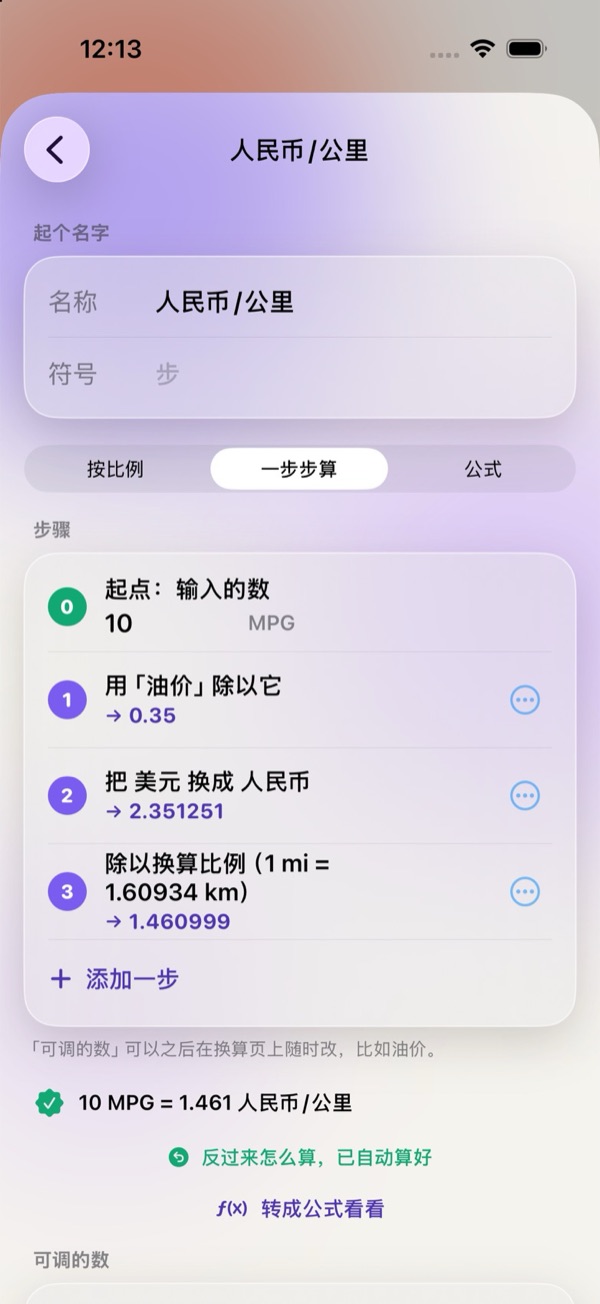
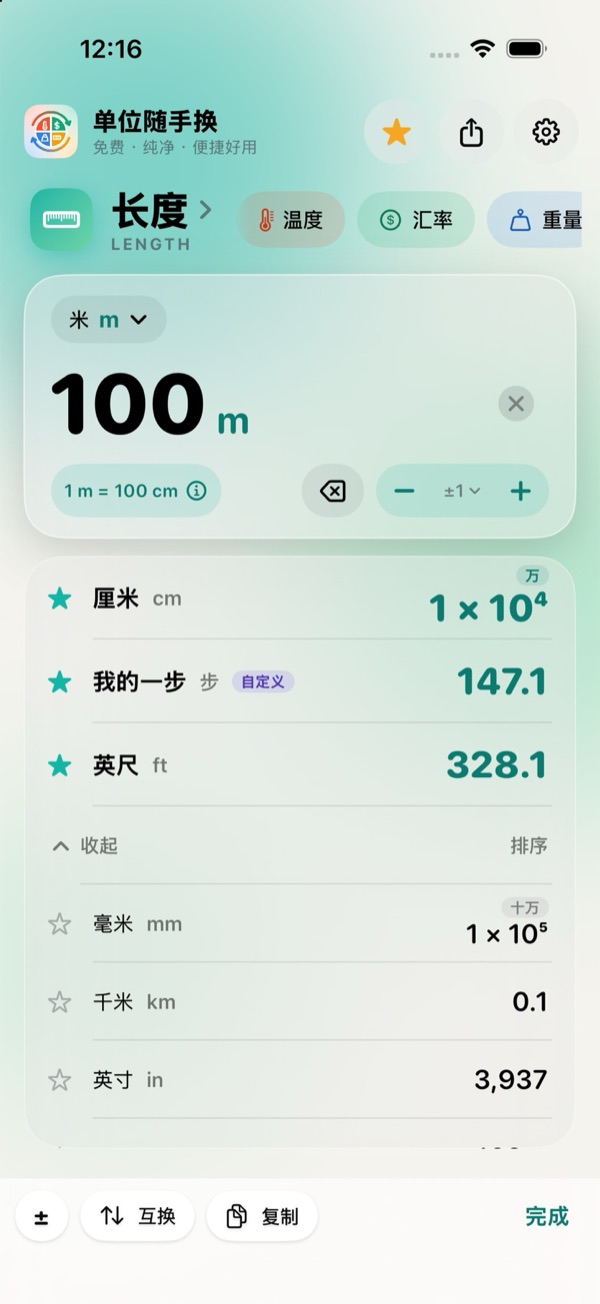
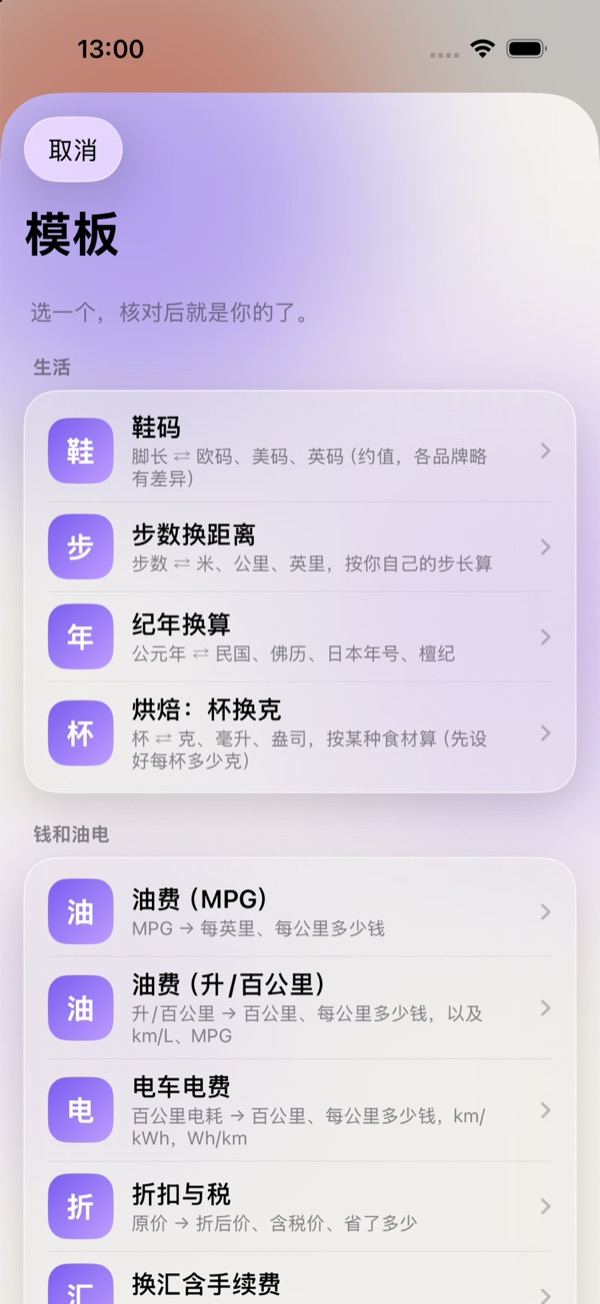

Available in the iPhone and Android apps. No account needed, and your custom conversions stay on your device. Screenshots show the app in Simplified Chinese.
Open it and type — nothing in between. Many converters are either clumsy or cluttered. Handy Units was made to fix that.
Every unit in the category updates as you type. Pinned units sit on top with a star; there is no “convert” button.
Tap any result to make it the input, value and all. Long-press to copy the number, or the number with its unit.
The large widget has a built-in keypad, so you can convert without opening the app. Medium, small and Lock Screen widgets keep results in view.
The “Convert Units” shortcut works from Siri, Spotlight and the Action button, answering in a card. On iOS 18 it’s in Control Center too.
Cached rates show first with their update time; refresh with one tap, and stale data is flagged clearly. Reference rates, not bank prices.
On first launch, pick one of 16 regional presets, from mainland China and the US to Japan and Germany, and the units people use there are pinned. Reorder or hide any unit later.
Define your own units and formulas (a span, shoe sizes, fuel cost) and they work like the built-in ones. Start from a template or the rule library.
34 categories plus currency, all using exact international definitions. Especially handy if you switch between metric and US customary every day.
Packs live apart from everyday categories. Turn them on when you want them — all built in and offline.
This is the app’s pack page: switch dynasties to compare the same amount, or tap “Try this example” under a quote to fill it in.
The app’s Settings › Privacy Policy page — scroll to read it all.

A real screenshot of the Mac app. In dark mode you see the dark one.
On the Mac, Handy Units lives in the menu bar, with no main window: press a shortcut, type, click to copy, and get back to what you were doing. The same interface and the same conversion rules as on the iPhone.
Mac: macOS 14 or later · Apple silicon and Intel · notarized by Apple
Installing: Open the downloaded .dmg, drag Handy Units into Applications, then open it from Launchpad or Spotlight. The first time, its icon appears in the menu bar and the panel opens.
Can't see the menu bar icon? On a Mac with a notch and a full menu bar, new icons can end up behind the notch. ⌥⌘U still opens it, or ⌘-drag the icon further right.
The iPhone version is in App Store review, with Android to follow. Free, clean and easy to use.
The iPhone version is in App Store review, and Android is ready to download. Free, clean and easy to use.
Requires iOS 17 or later · iPhone
iPhone: iOS 17 or later · Android: allow your browser to install apps the first time
Mac: macOS 14 or later · Apple silicon and Intel · notarized by Apple
WeChat can't download app packages.
Tap ··· at the top right, choose
“Open in Browser”, then tap download again.
Tap anywhere to close